Try it
Spin Bip.
Drag to spin and tap the poses. This is the character you will build in the book, part by part.
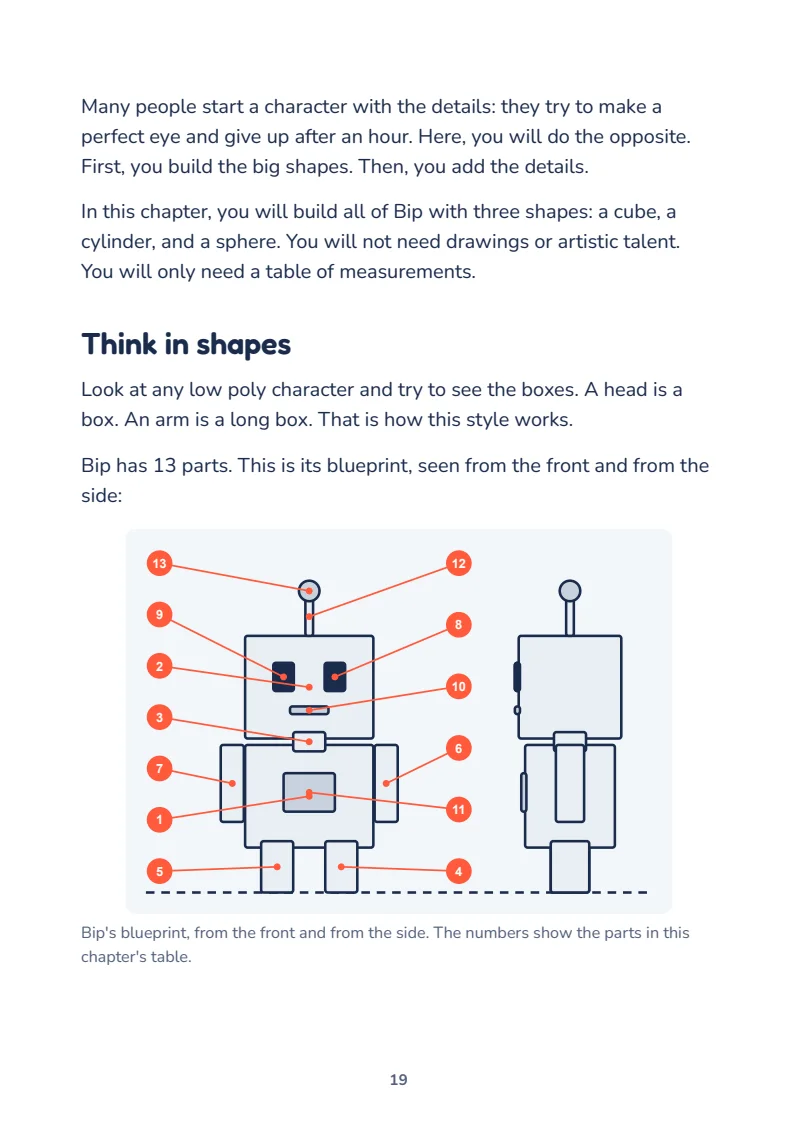
Bip has 13 simple parts. You build them all with one table of measurements.
The result
A complete story in 15 seconds.
This is the book's project video, made in Blender with the same steps and values you will follow.
- 1Bip builds a narrow tower
- 2The tower falls
- 3Bip gets sad and thinks
- 4A wide base fixes it
- 5Bip celebrates
Inside the book
One project, start to finish.
You will not memorize menus. Each chapter moves the same video forward, and each tool appears when you need it.
- 1First StepsInstall Blender, learn the screen, and stop getting lost in 3D.
- 2Your CharacterBuild Bip with three shapes and a table of measurements.
- 3Color, Light, and SceneryPaint Bip, build the scenery, and turn on the sun.
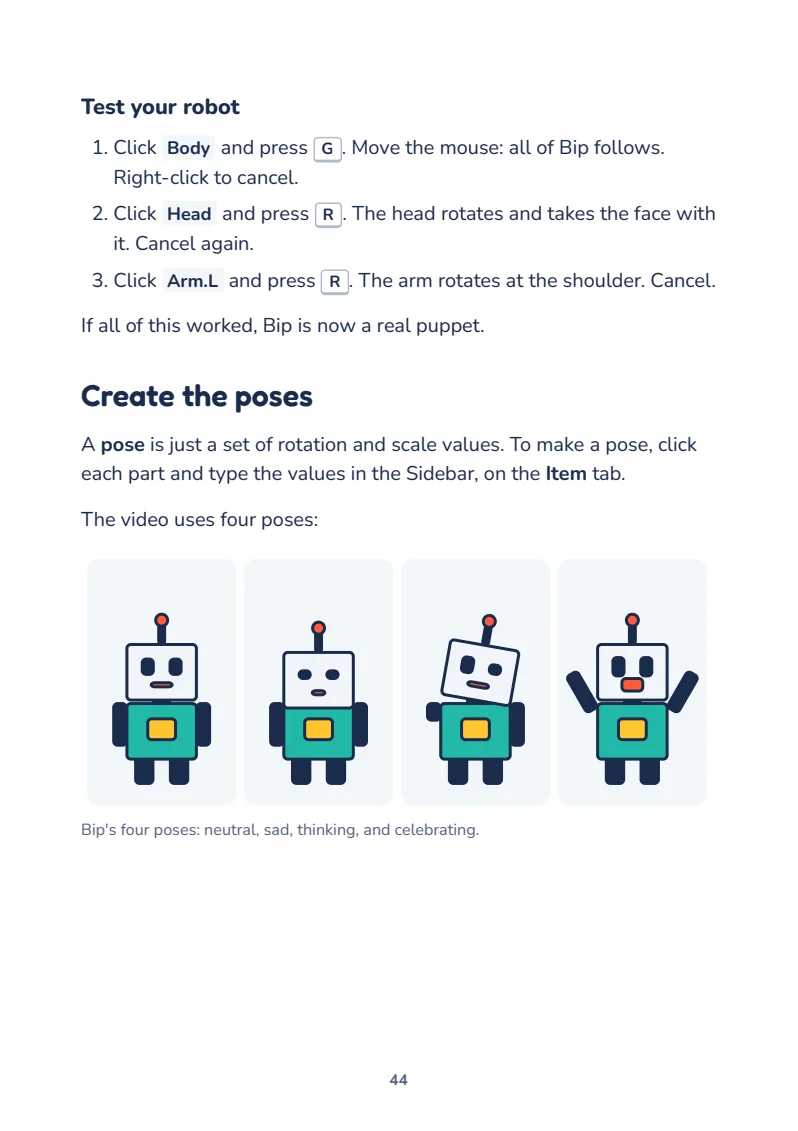
- 4Bringing It to LifeTurn 13 loose parts into a puppet with expressions.
- 5Animation and CameraTell the whole story, already in vertical format.
- 6Voice and TimingRecord the narration and land each movement on the word.
- 7Rendering and PublishingExport the video and post it.
The method
Mistakes are part of the plan.
The book shows the mistakes almost every beginner makes and how to get out of them in seconds.
Common mistake
“The cube disappeared!” It is almost always still in the same place. Your view moved away. Press Home.
Tip
Name each part as soon as you create it. With 13 objects, a list full of “Cube.007” becomes a mess.
Your mission
Each chapter ends with a practical task, so you can test what you learned before moving on.
Who it is for
Made for beginners.
- You have never opened a 3D programThe book starts with the install and explains each button.
- You want to make videosYou finish with a vertical video for Shorts, TikTok, or Reels.
- You gave up on Blender beforeThis is a short path with a clear result at the end.
Start today
Blender is free. The path is right here.
- 73-page PDF e-book
- A complete project in 7 chapters
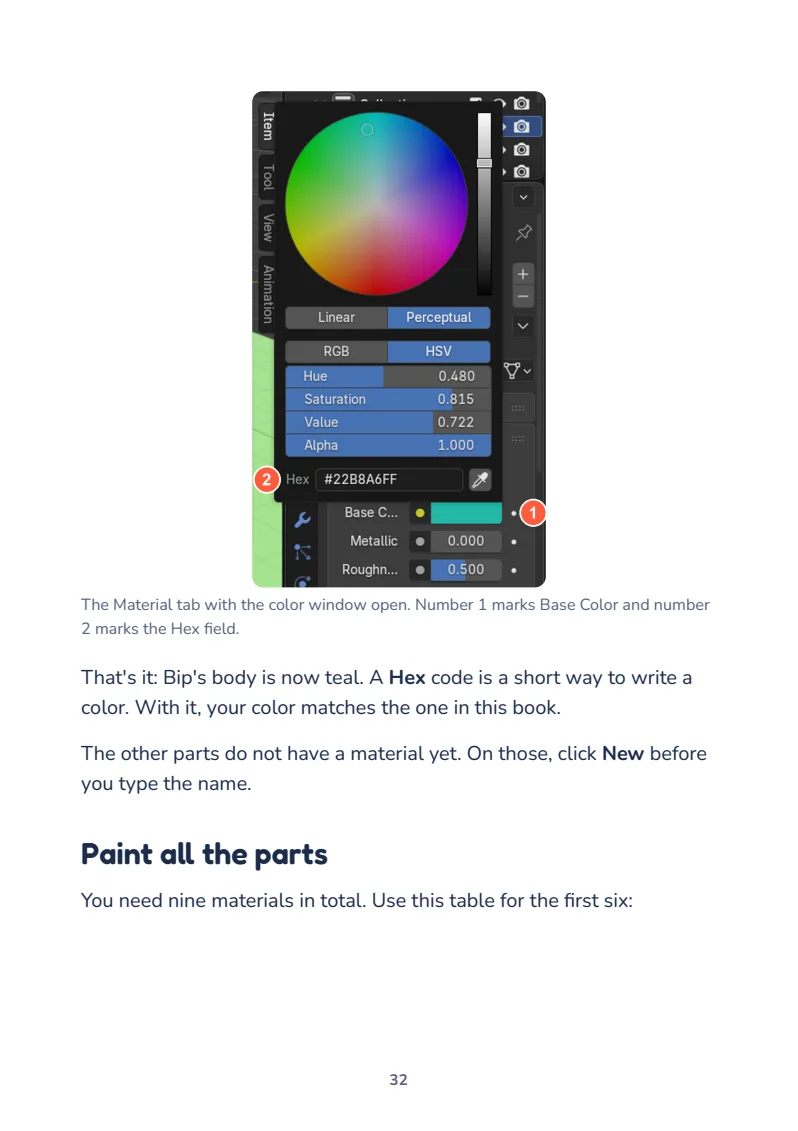
- Real Blender 5.2 LTS screenshots
- Shortcut sheet and video checklist
$11.99
I want to make my animation7-day guarantee. Purchase processed by Hotmart.
Questions
Before you buy
What will I learn?
You will install Blender, model a low poly character, build a scene, animate a 15-second story, add a voice, and export a vertical video ready to post.
Do I need drawing skills or experience?
No. The book starts with the install and follows one project, step by step. The part measurements are already provided.
Can my computer handle it?
The project is light. Blender 5's minimum requirements are 8 GB of memory, a 4-core processor, and a graphics card with 2 GB. On Macs, it needs Apple Silicon.
How do I get the e-book?
After your payment is confirmed, Hotmart gives you access to the PDF.
Is there a guarantee?
Yes. You have a 7-day guarantee, and you request a refund through Hotmart.
Is the purchase safe?
Yes. Payment and delivery are handled by Hotmart, one of the largest digital product platforms.
Are the Capi Explains channel videos made in Blender?
No. The channel uses a different production process, based on code and artificial intelligence. The video you create in this book is made in Blender, and the low poly style is similar.
Can I read it on my phone?
Yes, the PDF opens on your phone. To do the project, you need a computer with Blender.